
AI ECD

2024

Enhancing early childhood development through AI-powered evaluations

I joined AI ECD (now KidooAI) at the pre-seed stage as a lead designer responsible for bringing their MVP to life. With no existing design foundation, I led the end-to-end design of their dashboard, AI-assisted evaluation, and evaluation report โ€” navigating the unique challenge of building an experience that had to work for two very different users: parents seeking clarity, and children as young as three taking an assessment.

Role

Lead Product Designer

Team

3 Product Designers

2 Developers

1 Product Manager

Timeline

May โ€“ September 2024

Tool

Figma

Context

AI ECD provides clear guidance for early childhood development

AI ECD provides clear guidance for early childhood development

AI ECD is a startup using generative AI to bring scientifically-based early childhood development evaluations directly to families. Their platform combines advanced AI technology with established developmental research to assess children across key learning domains. The result is a reliable, accessible tool that gives parents meaningful insight into their child's growth and the personalized guidance to support it.

Problem

Accessing early childhood development resources can be challenging 

Accessing early childhood development resources can be challenging 

AI ECD's founder spent years researching early childhood development at Stanford and consistently saw the same problem: parents who wanted to support their child's growth but couldn't access the tools to do it. Formal developmental assessments are expensive, hard to interpret, and often out of reach for the average family. Our team asked ourselves:

How might we give parents the clarity and confidence of a professional developmental assessment without the cost, complexity, or need for a clinic?

Solution

AI-Powered Developmental Evaluation

AI-Powered Developmental Evaluation

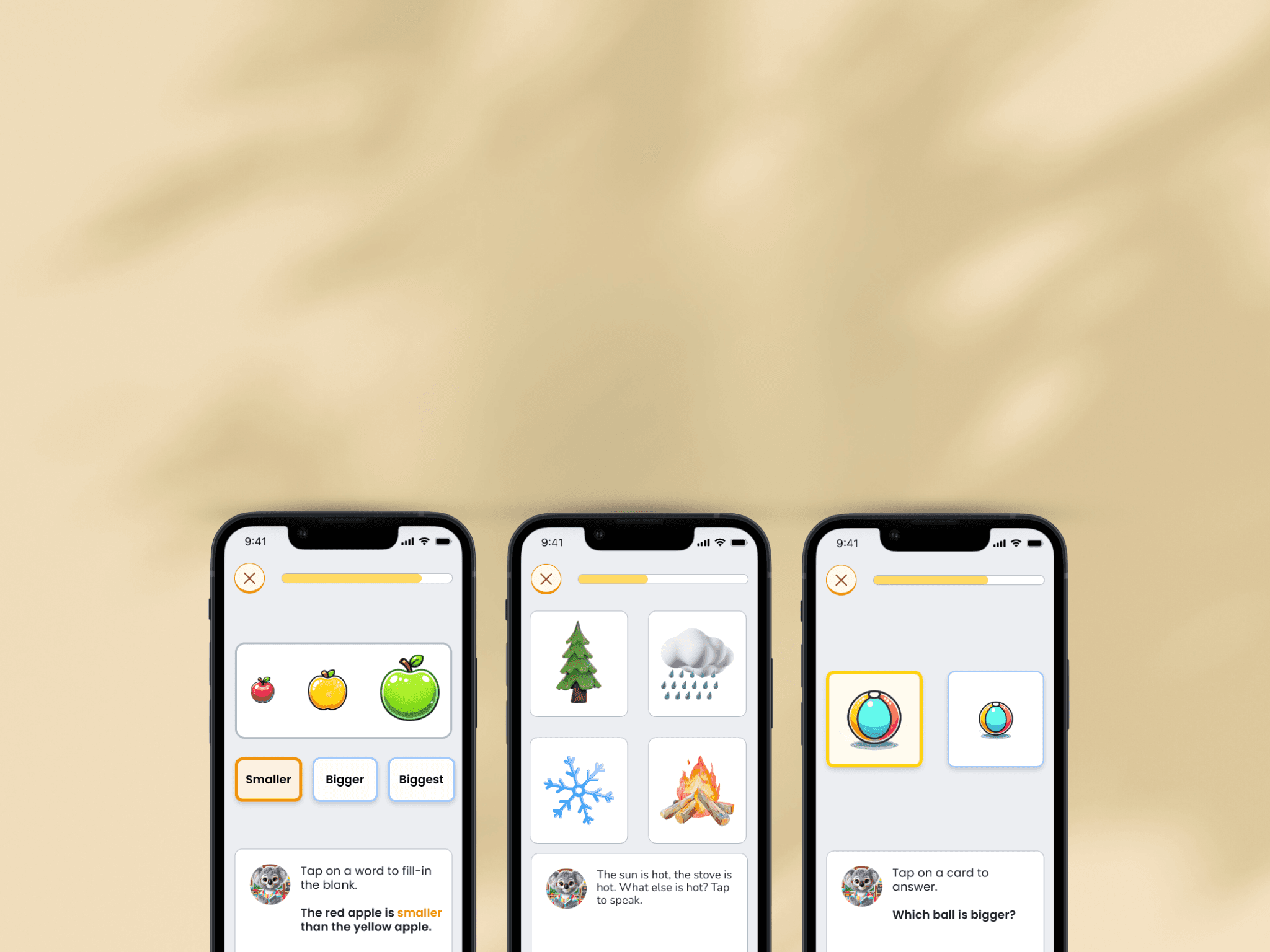
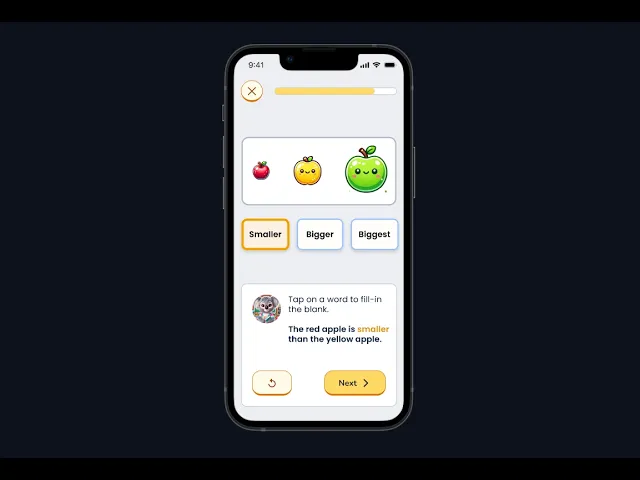
To address this, we designed an AI-powered Developmental Evaluation, a game-based assessment that engages children through interactive tasks while measuring their progress across key developmental domains.

The evaluation results serve as the foundation for the rest of the app, informing personalized reports, activity recommendations, and guidance tailored to each child.
๐Ÿ‘‡ Scroll for the process!

Discovery

Aligning on scope and expectations

Kickoff meeting

To kick off the project, the product manager, founder, and I aligned on the PRD to establish scope and expectations. Since the Developmental Evaluation is the foundation on which the rest of the app is built on, we were deliberate about designing it in a way that could scale as the product grew. Going into design, we aligned on a few key principles:

  1. Start focused: For the first release, we homed in on the language domain before expanding to other developmental areas.

  1. Design for the right user: The apps goal is to cater to children ages 0-6 but for this initial drop, we designed for a child around age six, which shaped every decision from interaction patterns to visual design.

  1. Balance fun with function: The experience had to feel like a game first and an assessment second. It needed to be engaging enough to hold a young child's attention while still capturing meaningful evaluative data.

Research inputs

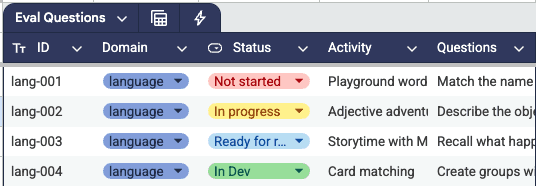
Our in-house child psychologist laid the groundwork for the evaluation by developing a structured framework for each task, defining the developmental domain it targeted, the questions it would ask, and the range of acceptable responses. This framework was organized into a shared spreadsheet and handed off to the design team as the blueprint for translating each task into a screen.

Design

Translating clinical grade questions into game-based evaluations

Creating the finalized product was an ever evolving conversation between the designers, developers, and child psychologists to make sure we were delivering an evaluation that was up to current clinical standards but could still perform the way we wanted it to. Some design considerations included:

Accessible touch points

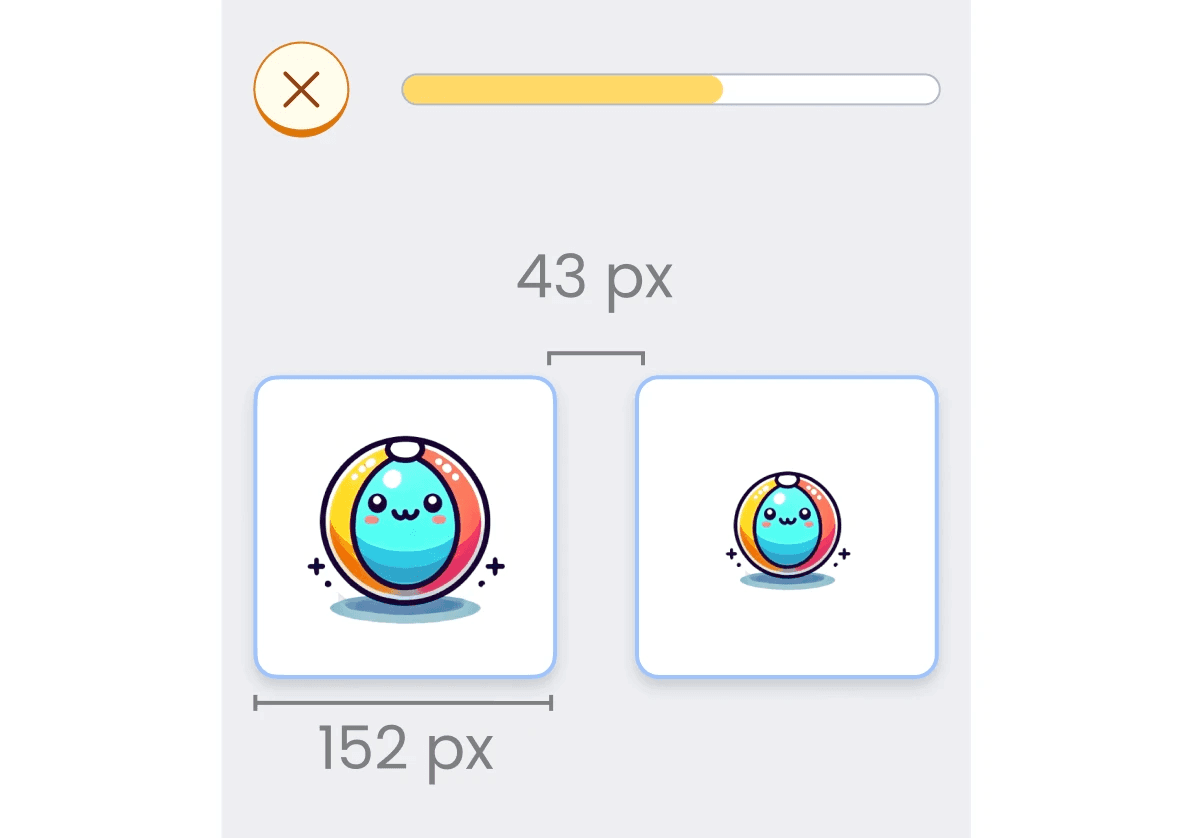
Because young children have limited fine motor skills, touch targets had to be large enough to accommodate their abilities. This was especially important for answer accuracy, as an accidental tap could skew evaluation results and misrepresent a child's true performance. This consideration was additionally constrained due to mobile and tablet screen sizes, resulting in significant iteration on layout and placement.

Requirements:

  • Touch targets were never smaller than 44px

  • At least 8 to 10px of spacing between elements

Scalable game narrative

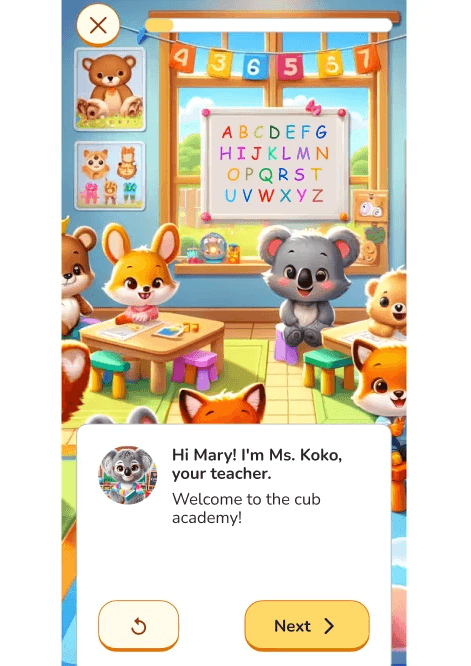
Even though this is an evaluation, we still made it a priority to create a cohesive world for the game that could scale up as the tasks and developmental domains expanded over time.

Framework

  • Classroom environment that engages in activities such as story time or playground activities

  • Each activity branches off into a different game-based task

Iterations

Implementing feedback from clinicians and users

After each task's V1 was created, it was handed off to our clinicians to run through the design and ensure it met their intended goals. If there were areas to improve they would give the feedback for another round until it was up to their standards.

In parallel, the UX research team ran usability tests with 5 users, aged 5-6 years old, having them walk through initial versions of the evaluation. They observed their reactions, engagement levels, and problem areas to find opportunities for growth.

Clarifying the task interaction

Problem

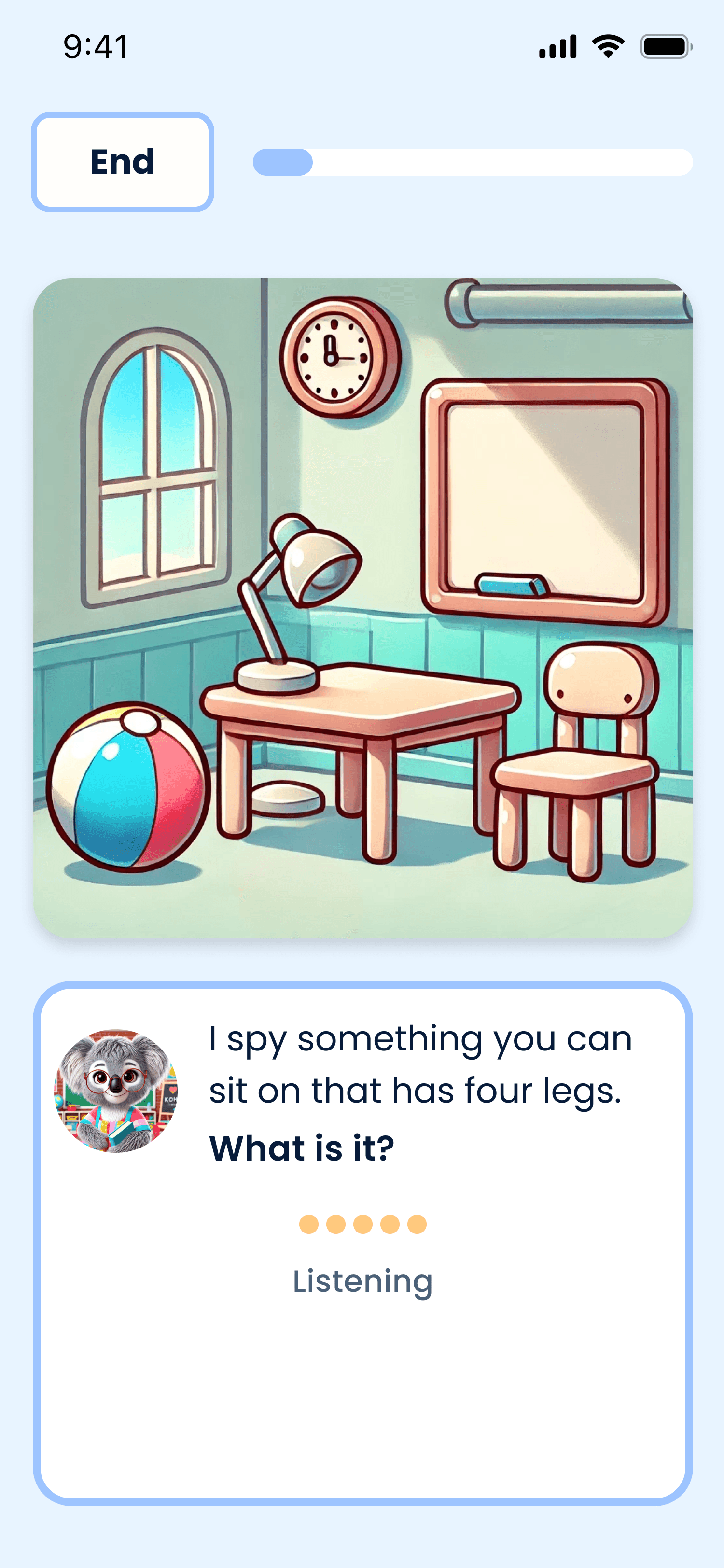
During testing, participants struggled to communicate their answers on call and response questions that required spoken input. Our initial design mimicked a conversational flow, automatically starting the recording and assuming completion once the participant stopped speaking.

This created two key problems: children did not know when to begin speaking, and due to the unpredictable nature of a young child's speech patterns, the recording would cut them off prematurely before they had finished their answer.

Solution

To solve this, we introduced recording controls. Rather than assuming when a response began and ended, the updated flow prompted the child to press a button to start recording and another to stop, giving them full control over when their answer was captured.

Before

After

Delivery

Standardizing task formats for efficient development

After designing an initial set of tasks, the development team and I recognized that building each question from scratch would be a significant overhaul on both ends.

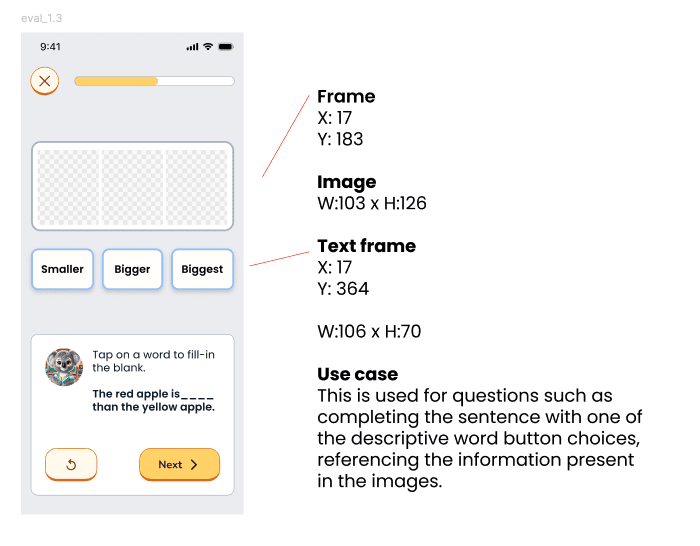
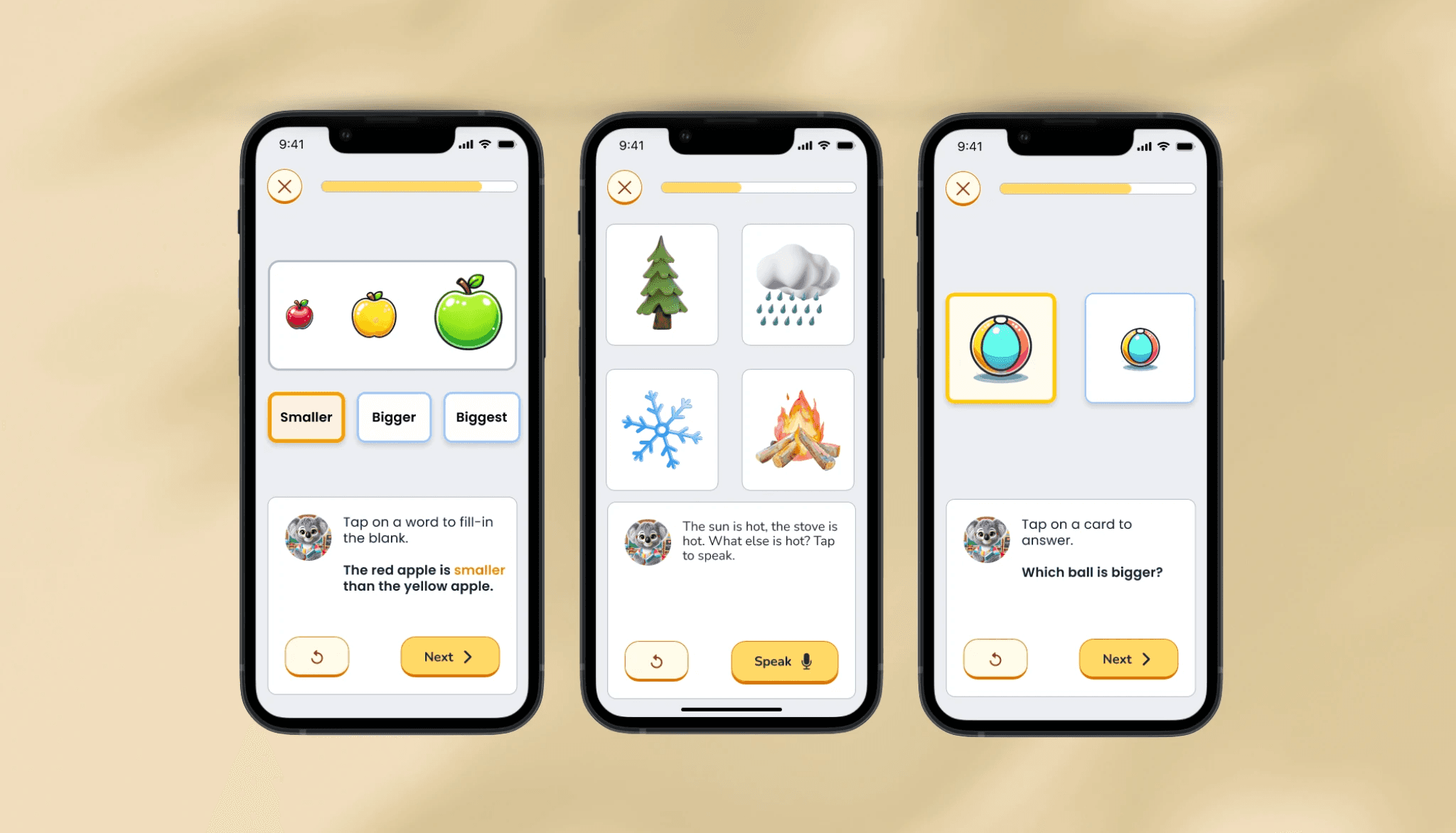
To streamline the process, I developed a standardized set of evaluation templates flexible enough to cover all question types.

  • Eight variations in picture amount and arrangement

  • Three variations in user interaction

  • Each template was fully annotated with instructions and defined use cases to keep both teams aligned

This had a meaningful impact across the board.

  • The development team only needed to build to these templates rather than per question

  • The design team could work from a consistent set of patterns that saved time

  • Children benefited from a more familiar, predictable experience throughout the evaluation

Final Solution

Try the final design: AI-Powered Evaluation

This video shows what the evaluation experience looks like, including two examples of language assessment scenarios.

๐Ÿ‘‰ Try it out for yourself here

๐Ÿ‘‰ Try it out for yourself here

๐Ÿ‘‰ Try it out for yourself here

View the full case study on a desktop!

Takeaways

Lessons I learned

AI ECD entrusted me with major responsibility in building the foundation of their evaluative process. It was a formative experience that taught me how to delegate effectively, understand priorities, and stay flexible in the face of constant change.

Two key lessons that stood out:

๐Ÿ”„ Embrace iteration. The most impactful thing I could do was get a product out and into the hands of the people who could make it better, even if it wasn't perfect yet. Designing for such a specific age group made it especially important to lean into the experts and users around me, to drive the product forward.

๐Ÿ  Build a good foundation. Being in the pre-seed phase taught me the importance of establishing a solid foundation to scale from. Taking the time upfront to streamline and standardize practices is an investment that pays off as the product and team grow.